
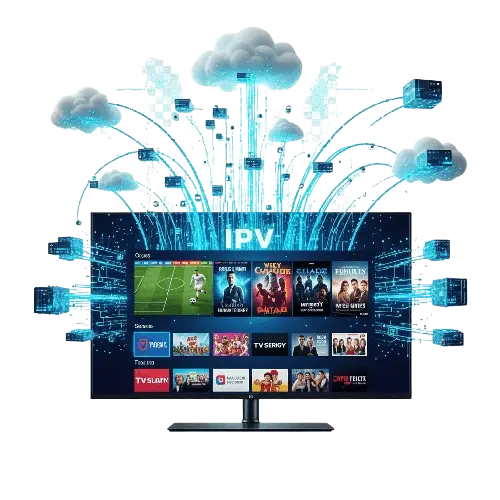
The way we consume television in the United Kingdom has undergone a massive transformation over the last decade. Gone are the days when we were limited to the five terrestrial channels available via a rooftop aerial, or locked into expensive, long-term contracts with satellite providers just to watch a bit of sport.
Today, the internet has democratised entertainment. You have likely heard the term “IPTV” thrown around in conversations at the pub or seen it mentioned on tech forums. It is often touted as the future of television, offering a flexible, high-quality, and cost-effective alternative to traditional broadcasting.
But what exactly is it? Is it complicated? And does it require a degree in computer science to set up?
In this guide, we will strip away the jargon and explain exactly how does IPTV work. From understanding the technology to setting it up on your Amazon Firestick, we will cover everything you need to know to upgrade your home entertainment system with a Premium Service.
IPTV stands for Internet Protocol Television.
In simple terms, instead of receiving television signals through an aerial, a satellite dish, or a fibre-optic cable directly from a provider like Virgin Media, you receive them through your standard internet connection.
If you have ever watched BBC iPlayer, Netflix, or YouTube, you have already used a form of IPTV. These services deliver video data to your device via the internet (IP). However, when people talk about an IPTV Subscription in the context of replacing their main TV package, they are usually referring to a service that offers:
Live TV: Real-time broadcasting of channels (BBC, ITV, Sky Sports, etc.) just like a traditional TV experience.
Video on Demand (VOD): A library of movies and TV series that you can watch whenever you want, similar to Netflix.
Catch-up TV: The ability to replay shows that aired days ago.
Traditional TV sends out a signal in real-time, and you tune into it. If you are not there to catch it, you miss it (unless you record it). IPTV is different. Content is stored on servers. When you click on a channel or a movie, you are sending a request to that server to send the video data to you. This is why IPTV offers so much more flexibility and control than traditional broadcast TV.
To understand how does IPTV work, think of it as streaming a very long YouTube video.
When you purchase a Subscription from a provider, you are given access to their network of media servers. Here is the process broken down simply:
The Source: The provider captures live TV signals (from satellites or direct feeds) and encodes them into digital data packets.
The Server: These packets are stored and processed on high-speed servers.
The Request: You open an app on your TV (like IPTV Smarters) and select a channel, say, Sky Sports.
The Stream: Your device sends a request via your internet connection to the server. The server begins sending the video data packets to your device.
Buffering & Playback: Your device receives these packets, “buffers” a small amount to ensure smoothness, and plays the video on your screen.
Because this relies entirely on the internet, the quality of your experience depends heavily on two things: your internet speed and the quality of your provider. A Premium Service will use high-grade servers with “anti-freeze” technology to ensure that the data arrives quickly and smoothly, even when thousands of people are watching a Premier League match at the same time.
Getting started with IPTV is surprisingly easy. You do not need an engineer to visit your house, and you do not need to install a satellite dish.
You likely already own a device capable of running IPTV. The most popular options in the UK include:
Amazon Fire TV Stick: The market leader due to its low price and ease of use.
Smart TVs: Samsung and LG TVs can run IPTV apps directly (though they can be limited).
Android Boxes: Devices like the Nvidia Shield or Formuler boxes.
Smartphones/Tablets: Perfect for watching on the go.
This is the most critical step. The internet is flooded with providers, but they are not all created equal. Free services are often unreliable, filled with ads, and offer poor picture quality. To get a stable 4K or Full HD picture with no buffering, you need a paid Subscription.
When looking for a Premium Service, look for providers that offer:
A wide selection of UK and international channels.
Reliable customer support.
Setup guides for your specific device.
A comprehensive library of movies and series (VOD).
Once you have chosen a provider, you simply buy a plan (usually 1, 6, or 12 months). You will then receive your login details via email. These usually consist of a Username, Password, and a Server URL (sometimes called an M3U link).
“One of the most common complaints from UK viewers is that their stream works perfectly all week but suddenly freezes during big football games. This isn’t usually a server issue; it is a tactic used by internet providers called ‘Throttling’. Learn how to identify if you are being targeted and how to stop it in our guide: [Why is my IPTV Buffering During Premier League Matches? The Truth About ISP Throttling].”
Setting up IPTV is essentially about connecting your device to the service you have bought. The method varies slightly depending on your device, but the principle is the same: you need an app (a “player”) to decode the stream.
Connect your device to the internet. For the best results, we recommend a fibre broadband connection with a speed of at least 20 Mbps. If possible, use an Ethernet cable rather than Wi-Fi for maximum stability.
Download an IPTV App. Popular choices include IPTV Smarters Pro, TiviMate, or XCIPTV.
Input your details. Open the app and enter the login credentials sent to you after purchasing your Subscription.
Load the content. The app will download the channel list, the TV guide (EPG), and the movie posters.
Start watching.
It really is that simple. Within 10 minutes, you can go from having no TV to having thousands of channels.
The Amazon Firestick is the most popular device for IPTV in the UK, but there is a small catch: the most popular app, IPTV Smarters Pro, is not currently listed on the official Amazon App Store.
To get it, you need to “sideload” it. Do not worry—this is perfectly safe and easy to do. Here is a step-by-step guide on how to download IPTV Smarters Pro on Firestick.
First, you need to allow the Firestick to install apps from outside the Amazon Store.
Go to Settings on your Firestick home screen.
Select My Fire TV.
Select Developer Options.
Note: If you don’t see Developer Options, go to About, highlight Fire TV Stick, and click the select button on your remote 7 times quickly. This will unlock the menu.
Turn on Apps from Unknown Sources.
This app allows you to download files from the internet.
Go back to the Home screen and select Find (the magnifying glass).
Type “Downloader”.
Select the orange Downloader app and click Download or Get.
Open the app and give it permission to access files.
Open the Downloader app.
In the URL bar where you can type, enter a “Short Code” to download the app directly. A common and reliable code for IPTV Smarters is 78522 (or you can search for “IPTV Smarters APK”).
Click Go.
The file will download. Once it is finished, click Install.
Once installed, click Done (not Open).
You can now delete the installation file to save space on your Firestick.
Go to your Apps list and open IPTV Smarters Pro.
Select Login with Xtream Codes API (this is the easiest method).
Enter a name for your playlist (e.g., “My TV”).
Enter the Username, Password, and URL provided with your Premium Service.
Click Add User.
You are now fully set up!
You might be wondering if you can just find free streams online. While possible, it is rarely worth the hassle.
Reliability: Free streams often cut out midway through a game or buffer incessantly. A Subscription guarantees server stability.
Quality: Free streams are usually low-resolution. A Premium Service offers 4K and FHD quality that looks incredible on modern TVs.
Convenience: Having an Electronic Programme Guide (EPG) and a clean interface makes the experience enjoyable for the whole family, rather than hunting for broken links on a laptop.
Understanding how does IPTV work reveals why it is becoming the dominant way to watch TV in the UK. It offers unparalleled choice, flexibility, and quality compared to traditional broadcast methods.
By utilizing the power of the internet, you can access a global library of entertainment. Whether you are a sports fanatic wanting to watch 3pm kick-offs, a movie buff looking for the latest cinema releases, or just want to save money on your monthly bills, IPTV is the answer.
If you are ready to take the plunge and experience the future of television, you need a provider you can trust. إكتشف عروضنا (Discover our offers) today to find a package that suits your needs, and start enjoying a world of entertainment without limits.
©2026. IPTVULTRA. All Rights Reserved.